








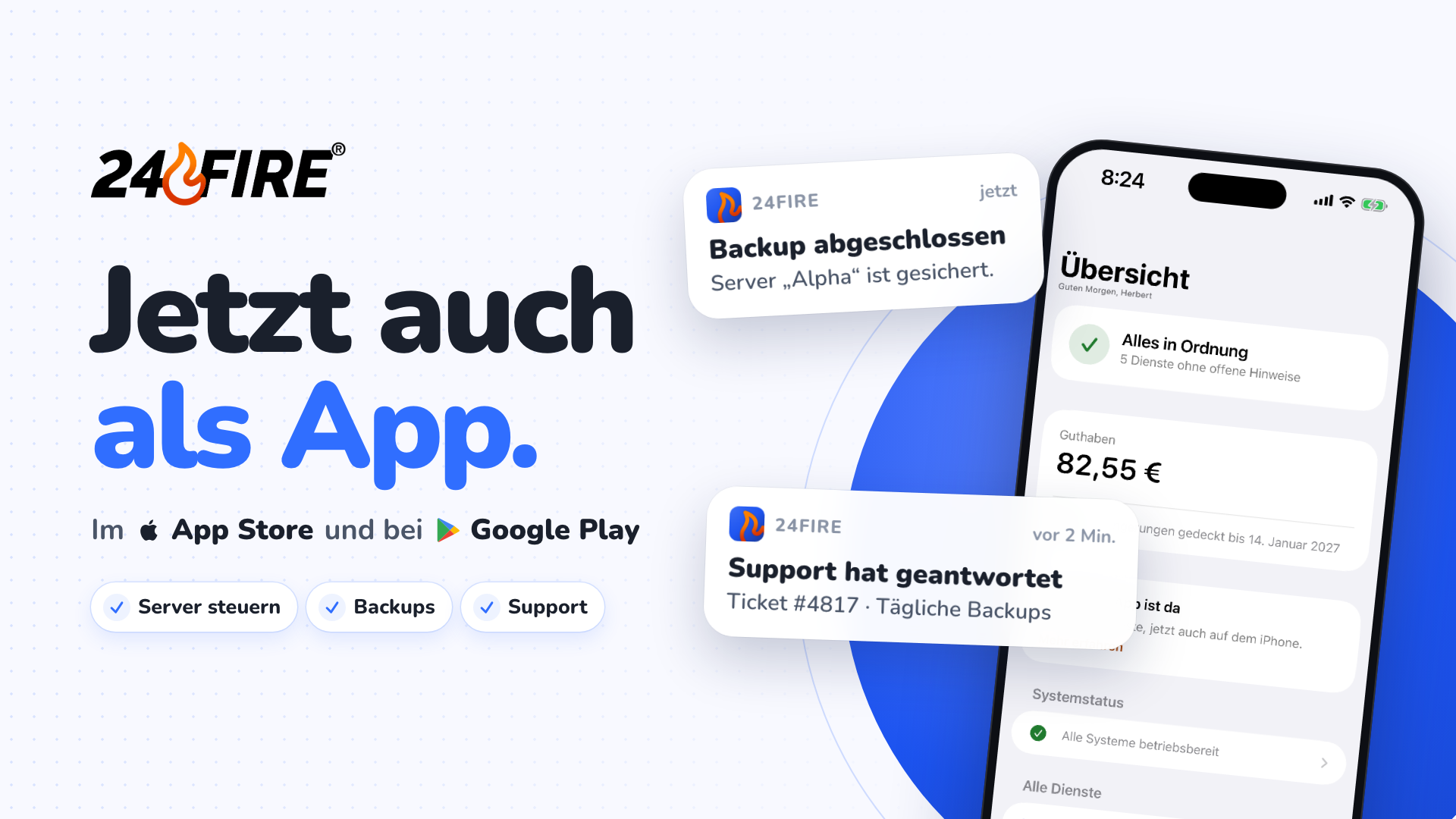
The 24fire app is now available for iPhone and Android, free of charge on the App Store and Google Play. It brings the core features of our Control Panel to your smartphone: management of your KVM servers, dedicated servers, webspaces and domains, support, billing and the security of your account.
Download:
- 24fire on the App Store – for iPhone with iOS 18 or later
- 24fire on Google Play – for Android 11 or later, including tablets and foldables
Built for iPhone and Android
We developed the app specifically for both platforms. It adopts your device settings, such as dark appearance or a larger text size.
You sign in with your existing Control Panel credentials. The app and the Control Panel work with the same data, so changes are visible in both places.
Managing KVM servers
For your KVM servers, the app shows the current status and real-time CPU, memory and storage usage. You can also:
- start, restart and stop servers
- create and restore backups and schedule automatic backups
- reinstall the operating system and manage the root password and SSH keys
- mount ISO images, edit reverse DNS records and review traffic for the last 7, 30 or 90 days
Time-consuming operations such as backups, restores and reinstalls continue in the background, even when you close the app. You can follow the progress as a Live Activity on the iPhone Lock Screen, and in the status bar on Android.
Webspaces and domains
For webspaces, a single tap signs you into Plesk without entering a password. For your domains, you manage DNS records of all common types, save the DNS zone as a snapshot and maintain your Whois details.
Approving sign-ins in the app
Once you have paired your smartphone with your account, you can approve requests from the Control Panel directly in the app:
- When signing in: if you choose, approving in the app replaces entering your two-factor code.
- For identity checks: when the Control Panel asks you to confirm your identity, you do so in the app without entering your password and two-factor code.
You receive a push notification for every request. The app shows the IP address, approximate location, device and time, so you can review the request before approving it. Approval is given with a slider, followed by Face ID, fingerprint or screen lock. If you don't recognise a request, report it with “That Wasn't Me”. We will then end all sessions on your account and protect it temporarily.
Approvals are bound to your device and cannot be transferred to another device.
Support, billing and account
- Support: create tickets, reply to them and rate resolved requests. As soon as our support team replies, you receive a notification that takes you straight to the ticket. The status page is integrated into the app as well.
- Billing: your balance and how long it covers upcoming renewals, monthly costs per product type, upcoming renewals, all transactions and invoices as PDF.
- Account: inbox, profile, notification settings per topic and channel, and the contacts you share services with.
Control outside the app
On iPhone, a widget shows your account status on the Home Screen and Lock Screen. KVM servers can also be started and stopped from Control Center, the Action button, Siri and Shortcuts.
On Android, a Home screen widget, a Quick Settings tile for starting and stopping your server, and app shortcuts on the app icon are available.
Free, ad-free, no tracking
The app is free and contains neither in-app purchases nor ads. We do not use any analytics or tracking services, and the app does not require access to your precise location, contacts, photos or microphone. Orders and balance top-ups continue to be handled on our website.
Download now
Download the app, sign in and pair your device. Setup takes just a few steps. If you don't have a customer account yet, you can register in the Control Panel.
This is the first version of the app, and further features are already planned. Our team welcomes feedback and ideas via ticket, most easily straight from the app.